
PlayinExchange Withdrawal Problems – Pending, Failed & Not Received
By the PlayinExchange Support Team · Updated 15 October 2026 · 8 min read
A PlayinExchange withdrawal problem usually means one of three things: the withdrawal is stuck as pending, it has failed, or it shows as completed but the money hasn’t reached your GPay, PhonePe, UPI or bank account. Most PlayinExchange withdrawals are processed within 10–15 minutes, so if yours is taking longer, this guide will help you find out why.
It covers the most common PlayinExchange withdrawal issues, including pending, failed and missing withdrawals, payment-method problems, limits, and what to check before contacting support.
Quick answer: If your PlayinExchange withdrawal is pending, check your withdrawal history and the payment method you chose, and don’t submit another request. If it failed, check your destination details and that the amount is at least ₹500 and within your limit. If it shows completed but not received, keep the transaction reference and contact PlayinExchange support.
Looking for the normal withdrawal steps rather than a fix? See the PlayinExchange Withdrawal Guide.
Table of Contents
PlayinExchange Withdrawal Problem – Quick Fixes
If your withdrawal hasn’t gone through as expected, start with these checks:
- Check the withdrawal status in your account.
- Review your withdrawal history.
- Confirm the amount you requested.
- Check the withdrawal method you selected.
- Make sure your destination details are correct.
- Check whether the withdrawal is pending or failed.
- Don’t submit duplicate withdrawal requests.
- Check the withdrawal limits (minimum ₹500).
- Save your transaction or reference number.
- Contact PlayinExchange support if the problem isn’t resolved.
Why Is My PlayinExchange Withdrawal Not Working?
A PlayinExchange withdrawal issue can have several causes. The most common are:
- Withdrawal pending
- Withdrawal failed
- Withdrawal not received
- Incorrect destination details
- A payment-method issue
- An amount outside the withdrawal limits
- A verification requirement
- A temporary payment-processing issue
- An account-related issue
- The transaction still being processed
Whether you see a PlayinExchange withdrawal error, a pending status or a missing payment, the right fix depends on the status shown in your PlayinExchange account. Start by checking your withdrawal history.
PlayinExchange Withdrawal Status Explained
Knowing what each withdrawal status means makes troubleshooting much easier:
| Status | What it means | What to do |
|---|---|---|
| Pending | The request is still being processed or verified | Wait, check again later, and don’t submit another request |
| Completed | PlayinExchange has sent the payout | Check your GPay, PhonePe, UPI or bank account |
| Failed | The request didn’t go through | Check the reason shown, your details and limits |
| Completed but not received | Sent, but not yet visible in your account | Keep the reference and contact support if it doesn’t arrive |
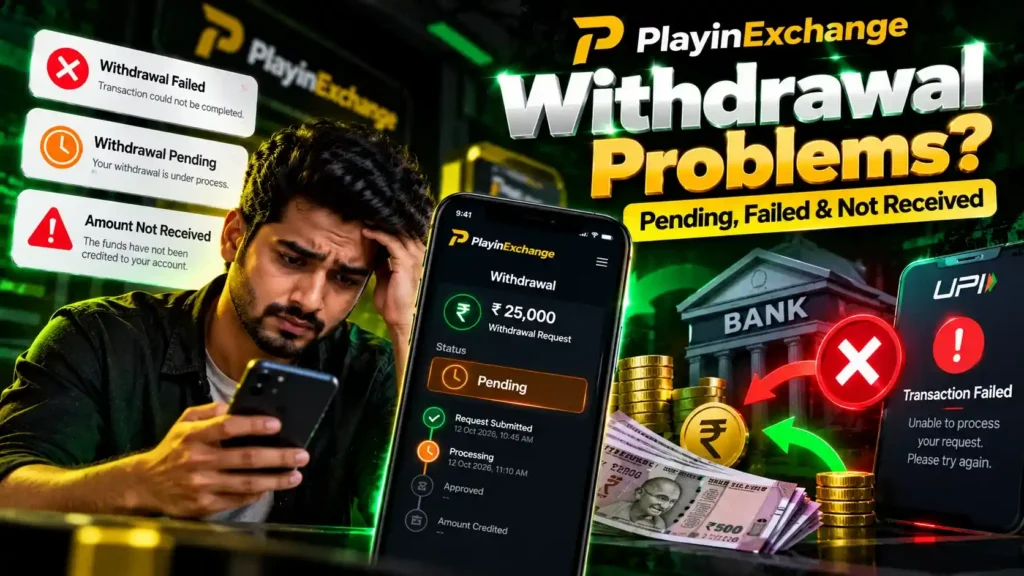
PlayinExchange Withdrawal Pending
A PlayinExchange withdrawal pending status means the request hasn’t reached a final completed status yet. It may still be going through processing, verification or handling by your payment provider.
What to do if your PlayinExchange withdrawal is pending
- Open your PlayinExchange withdrawal history.
- Check the transaction status.
- Confirm the amount and destination.
- Save the withdrawal reference number.
- Wait for the transaction to reach a final status.
- If it stays pending well beyond 10–15 minutes, contact PlayinExchange support.
Don’t create multiple withdrawal requests for the same pending transaction. Extra requests make it harder for support to identify which transaction you mean.
How Long Does a PlayinExchange Withdrawal Take?
PlayinExchange withdrawals are usually processed within 10–15 minutes. The actual time can depend on:
- The withdrawal method you chose
- The transaction status
- Any verification needed
- Processing by your bank or payment provider
- The destination account
If a withdrawal stays pending beyond the usual processing time, check your withdrawal history and contact support if needed.
PlayinExchange Withdrawal Failed
If your withdrawal status shows Failed, check the details of the request before trying again:
- Withdrawal amount. Is it at least ₹500 and within your limit?
- Withdrawal method. Is the method you chose currently available?
- Destination details. Are the UPI ID or bank details correct?
- Account verification. Is any verification still pending?
- Error message. Is there a reason shown on the failed transaction?
If you can’t tell why it failed, contact support with the transaction reference.
PlayinExchange withdrawal failed but money deducted
If the withdrawal failed but the amount was deducted from your PlayinExchange balance, don’t submit repeated requests. Keep the transaction details, check your withdrawal history, and contact support so the transaction can be checked.
PlayinExchange Withdrawal Not Received
If your withdrawal shows Completed but the money hasn’t reached your account, first check the destination and transaction details:
- Check your withdrawal history.
- Confirm the transaction status.
- Make sure you are checking the same GPay, PhonePe, UPI or bank account you withdrew to.
- Check the payment app or bank account for the incoming payment.
- Keep the transaction reference.
- Contact support if the funds still haven’t arrived.
PlayinExchange withdrawal amount deducted but payment not received
If your PlayinExchange balance went down but the payment hasn’t reached your bank or UPI account, don’t submit another withdrawal straight away. Check the status and destination details, save the reference ID, and contact support if it stays unresolved. The transaction reference helps support find your exact withdrawal quickly.
PlayinExchange Withdrawal Methods and Destination
PlayinExchange withdrawals can be sent to:
- GPay
- PhonePe
- UPI
- Bank transfer
- Other supported methods shown on the withdrawal screen
The withdrawal destination must be an account in your own name. Withdrawals to someone else’s account are usually rejected or held for verification. Always check the destination details carefully before confirming a request.
PlayinExchange UPI Withdrawal Problem
If you chose UPI and the withdrawal hasn’t completed, check the status and your UPI details. Make sure the UPI ID belongs to you and was entered correctly, then check whether the withdrawal is pending, completed or failed.
If it shows completed but you haven’t received the money, keep the transaction reference and contact support.
Never share your UPI PIN or OTP with anyone while sorting out a payment problem. PlayinExchange will never ask for them.
PlayinExchange GPay Withdrawal Problem
If you chose GPay and haven’t received the money, check the withdrawal status first. Confirm that:
- Your GPay details are correct
- The withdrawal shows the status you expect
- You have the transaction reference
- You can access the GPay account you withdrew to
If the withdrawal is marked completed but the money isn’t showing in GPay, contact support with the transaction details.
PlayinExchange PhonePe Withdrawal Problem
For a PhonePe withdrawal issue, check your withdrawal history and confirm the PhonePe details were entered correctly. If the transaction is pending, let it complete before creating another request. If it shows completed but the money hasn’t arrived, keep your transaction reference and contact support.
PlayinExchange Bank Transfer Withdrawal Problem
If you chose bank transfer and the money hasn’t arrived, check:
- The withdrawal status
- Your bank account number, IFSC code and account holder name
- The transaction reference
- The withdrawal amount
- Your transaction history
Bank transfers can sometimes take a little longer to show in your account after they are marked completed. If the money is still missing, contact support with the transaction details.
PlayinExchange Withdrawal Limits
Many failed withdrawals happen because the amount is outside the limits. These are the current PlayinExchange withdrawal limits:
| Limit | Amount |
|---|---|
| Minimum withdrawal | ₹500 |
| Maximum withdrawal (new users) | ₹50,000 |
| Maximum withdrawal (regular users) | No stated limit |
| Usual processing time | 10–15 minutes |
Always check the withdrawal screen before submitting, because limits or conditions can change.
PlayinExchange Withdrawal Verification
Some withdrawals may need account or payment verification. If verification is requested, follow the instructions shown on the platform. Make sure any information you submit is accurate and belongs to the account holder.
Verification never requires your password, OTP or UPI PIN. Never send these to anyone.
Avoid Duplicate Withdrawal Requests
When a withdrawal is pending, don’t submit another request straight away. Multiple requests make it harder to track which transaction is which, both for you and for support. Wait for the first transaction to reach a final status and keep its reference number.
PlayinExchange Withdrawal Troubleshooting Checklist
| Check | What to do |
|---|---|
| Withdrawal status | Check whether it is pending, completed or failed |
| Withdrawal history | Review the transaction |
| Amount | Confirm the amount requested |
| Minimum | Make sure it is at least ₹500 |
| Maximum | Check your account limit (₹50,000 for new users) |
| Method | Check GPay, PhonePe, UPI or bank transfer details |
| Destination | Confirm the account is in your own name |
| Processing | Allow the usual 10–15 minutes |
| Reference | Keep the transaction or reference number |
| Support | Contact support if still unresolved |
When Should I Contact PlayinExchange Support?
Contact support if:
- Your withdrawal stays pending well beyond the usual processing time
- Your withdrawal failed without a clear reason
- Your balance was deducted but the withdrawal wasn’t received
- Your transaction shows completed but the money hasn’t arrived
- Your withdrawal details look wrong
- You can’t work out the status of your transaction
When you contact support, share the relevant transaction details: your username, withdrawal amount, date, payment method, transaction or reference ID, and current status.
Never share your password, OTP, UPI PIN, card PIN or banking password with anyone, including people who say they are from PlayinExchange support.
Can’t log in to check your withdrawal history? See PlayinExchange Login Not Working, or reset your password first.
PlayinExchange Withdrawal Support
For withdrawal problems that won’t go away, use the official channels on the PlayinExchange contact page:
| Channel | Details |
|---|---|
| Support email | support@playinexchange.app |
| Help email | help@playinexchange.app |
| Information email | info@playinexchange.app |
| Phone | +91-9982888888 |
| +91-9982888888 |
When you contact support, say clearly whether your withdrawal is pending, failed, completed but not received, or otherwise unresolved, and include the transaction reference.
PlayinExchange Withdrawal Problems – FAQ
Why is my PlayinExchange withdrawal pending?
A withdrawal can stay pending while it is being processed or verified. Check your withdrawal history and let the transaction reach a final status before submitting another request.
Why did my PlayinExchange withdrawal fail?
A withdrawal can fail because of incorrect destination details, an amount below ₹500 or above your limit, verification requirements, payment method availability or other processing issues. Check the transaction details and any error message shown.
What should I do if my PlayinExchange withdrawal is not received?
Check your withdrawal history and confirm the transaction status and destination details. If it shows completed but the money hasn’t arrived, keep the transaction reference and contact support.
How long does a PlayinExchange withdrawal take?
PlayinExchange withdrawals are usually processed within 10–15 minutes. The actual time can depend on the withdrawal method, transaction status, verification and your payment provider.
What is the minimum PlayinExchange withdrawal?
The minimum PlayinExchange withdrawal is ₹500.
What is the maximum PlayinExchange withdrawal?
New users can withdraw up to ₹50,000. Regular users have no stated maximum withdrawal limit.
Which withdrawal methods does PlayinExchange support?
PlayinExchange supports withdrawals to GPay, PhonePe, UPI, bank transfer and other supported methods shown on the withdrawal screen.
Can I withdraw to any bank account?
No. The withdrawal destination must be a bank or UPI account in your own name. Always check the destination details before confirming.
Why is my PlayinExchange UPI withdrawal pending?
Check your withdrawal history and confirm your UPI details are correct. If it stays pending beyond the usual 10–15 minutes, contact support.
What if my PlayinExchange withdrawal failed but my balance changed?
Keep the transaction reference and check your withdrawal history. Don’t create duplicate requests while the original transaction is being checked, and contact support if it isn’t resolved.
Can I cancel a pending PlayinExchange withdrawal?
It depends on the transaction status. Check the options shown next to the withdrawal in your history, or contact support.
Should I submit another withdrawal if the first one is pending?
No. Check the status of the first transaction and wait for it to reach a final status before submitting another request.
What information should I provide for a withdrawal complaint?
Share your username, withdrawal amount, date, payment method, transaction or reference ID, and the current status.
Should I share my OTP with PlayinExchange support?
No. OTPs are confidential and should never be shared with anyone, including support.
Should I share my UPI PIN to resolve a withdrawal problem?
No. Never share your UPI PIN with support or anyone else.
