
PlayinExchange Login Not Working – Quick Fixes & Help
By the PlayinExchange Support Team · Updated 15 October 2026 · 8 min read
A PlayinExchange login problem can stop you from reaching your account, games, deposits and withdrawals. Most login issues come down to incorrect credentials, an OTP problem, a browser or network issue, or an expired login session, and almost all of them can be fixed in a few minutes.
This guide explains what to check when your PlayinExchange login is not working, how to fix common login errors, and when to contact support.
Quick answer: If you are unable to login to PlayinExchange, check your username or registered mobile number and your password, confirm your internet connection, make sure you are on the official PlayinExchange login page, then refresh and try again. If an OTP is involved, check your registered mobile number and SMS inbox. Forgot your password? Use PlayinExchange account recovery.
Table of Contents
PlayinExchange Login Not Working – Quick Fixes
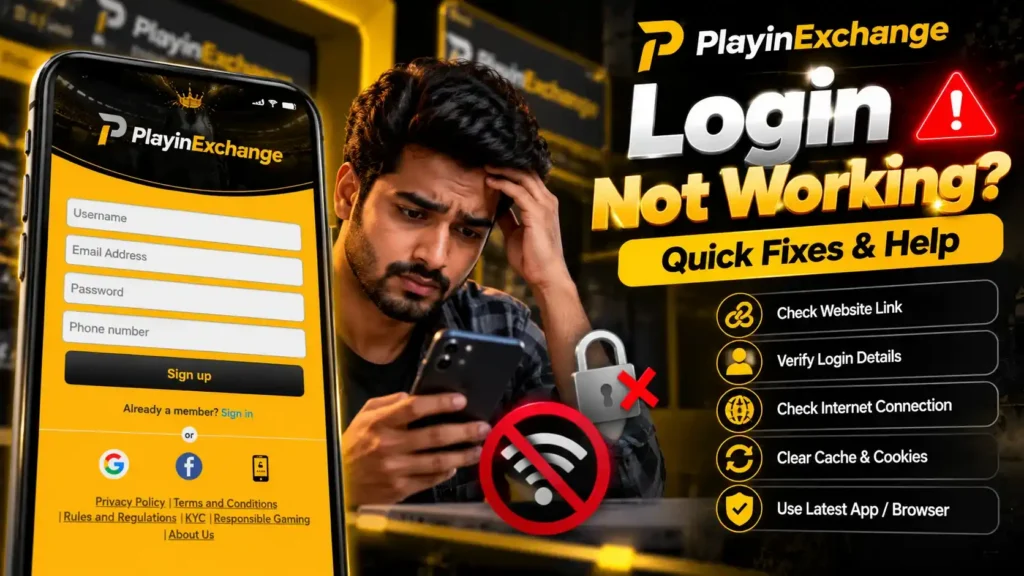
Try these fixes in order before contacting support:
- Check your username or registered mobile number.
- Check your password carefully.
- Make sure Caps Lock or autocorrect isn’t changing your password.
- Check your internet connection.
- Refresh the PlayinExchange login page.
- Try another browser.
- Clear your browser cache if the page behaves strangely.
- Check whether OTP verification is needed, and see our OTP not received guide if the code doesn’t arrive.
- Use password recovery if you have forgotten your password.
- Contact PlayinExchange support if you still can’t get in.
Why Is My PlayinExchange Login Not Working?
There are several reasons you may be unable to login to PlayinExchange. The most common are:
- Incorrect username
- Incorrect registered mobile number
- Incorrect password
- OTP not received
- Expired OTP
- Temporary network problems
- Browser cache or session problems
- The login page loading incorrectly
- A temporary technical issue
- Account verification or recovery requirements
If your PlayinExchange login failed with a message on screen, the right fix depends on that exact error, so read it carefully before trying again. Each PlayinExchange login issue below has its own quick fix.
Check Your PlayinExchange Username or Mobile Number
Start with the details you entered on the login screen.
If you log in with your mobile number, make sure it is the same mobile number registered on your PlayinExchange account. Enter the 10-digit number only, without spaces or an extra 0.
If you log in with your username, check:
- Spelling
- Numbers
- Uppercase and lowercase letters
- Extra spaces before or after the username
- Saved or autofilled details that may be out of date
Even a small difference in your login details can make the login fail.
Check Your PlayinExchange Password
If your username or mobile number is correct but you still can’t log in, your password is the next thing to check.
- Use the eye icon on the login form to see what you typed.
- Avoid using an old or wrong password saved in your browser or password manager.
- Type your password manually once to confirm it is correct.
If your PlayinExchange password is not working because you have forgotten it, don’t keep guessing. Too many wrong attempts can make things harder. Use the PlayinExchange forgot password page instead.
PlayinExchange Login OTP Not Received
If your PlayinExchange OTP login needs a verification code and the OTP doesn’t arrive, check the following.
Check Your Registered Mobile Number
Make sure the OTP is being sent to the mobile number linked to your account.
Check Your Mobile Network
Confirm your phone has mobile signal and can receive SMS messages.
Check Your SMS Inbox
Look through your SMS inbox, and check whether messages are being filtered or blocked.
Wait Before Requesting Another OTP
Don’t request OTPs repeatedly in a short time. Wait for the current request, then use the latest valid code when it arrives.
For a complete, step-by-step guide, read PlayinExchange OTP Not Received – Quick Fixes.
PlayinExchange Login Page Not Loading
If the login page itself won’t open or load properly, the problem is usually your browser, connection or session. Try:
- Refreshing the page
- Checking your internet connection
- Opening the page in another browser
- Closing unused browser tabs
- Restarting your browser
- Clearing cached website data
- Trying again from another device
If other websites work normally but the PlayinExchange login page still won’t load, contact support.
PlayinExchange Login Error
If you see a PlayinExchange login error, read the message on screen first, because each error needs a different fix:
| Error type | What it usually means | What to do |
|---|---|---|
| Incorrect credentials | Username, mobile number or password doesn’t match | Re-check your details, or reset your password |
| Invalid OTP | The code is wrong or an old code was used | Enter the latest OTP carefully |
| Expired verification | The OTP or verification step timed out | Request a new OTP |
| Missing information | A required field is empty | Fill in every field on the form |
| Temporary technical issue | A short-term platform or network problem | Wait a few minutes, then try again |
| Session expired | The page was open too long | Refresh and log in again |
Don’t keep submitting the same wrong details. Correct the information, or use account recovery when needed.
Unable To Login To PlayinExchange After Changing Password
If you recently changed your password and the new one doesn’t work, make sure you are typing the new password, not an old saved one. Your browser may still be autofilling the old password.
Type the new password manually. If it is still rejected, use PlayinExchange account recovery or contact support.
PlayinExchange Login Not Working On Mobile
If PlayinExchange mobile login is failing on your phone, check:
- Your mobile data or Wi-Fi connection
- That your browser is up to date
- Your registered mobile number
- Your username
- Your password
- OTP delivery
- Your browser cache
- Whether your login session has expired
You can also try opening the login page in a different mobile browser.
PlayinExchange Login Not Working On Android
For PlayinExchange Android login problems, first check your network connection and login details. If OTP verification is needed, make sure your registered phone can receive SMS messages.
If you use the PlayinExchange app, make sure you have the latest version, v2.4.8 for Android 7.0 and above. An outdated app can cause login problems. You can download the latest PlayinExchange APK from the official APK page.
Clear Browser Cache And Try Again
Your browser can sometimes keep old website data or an expired session, which stops the login page from working properly. Clearing the cached data for the site gives you a fresh session. After clearing the cache:
- Close the browser.
- Reopen it.
- Open the PlayinExchange login page.
- Enter your details manually.
- Complete OTP verification if asked.
Try Another Browser
If PlayinExchange login doesn’t work properly in your current browser, try a different one. This shows whether the problem is browser-specific.
If login works in the other browser, your original browser probably has an old session, a cookie problem, an extension or a compatibility issue affecting the page.
Check Your Internet Connection
Logging in needs a stable connection between your device and PlayinExchange. If your connection is unstable:
- Switch between Wi-Fi and mobile data
- Check whether other websites load
- Move to an area with better signal
- Restart your router or connection if needed
Once your connection is stable, try logging in again.
What To Do If You Forgot Your PlayinExchange Password
If you can’t log in because you have forgotten your password, don’t keep trying random passwords. Use account recovery instead.
Account Recovery Steps
- Open the PlayinExchange forgot password page.
- Enter your registered phone number or username.
- Select Send OTP.
- Complete the OTP verification.
- Create a new password.
- Return to the login page and sign in with your new password.
PlayinExchange Login After Registration
If you have just created your PlayinExchange account and can’t log in, check that registration was fully completed. Make sure that:
- Your registration was completed successfully
- Your mobile number was entered correctly
- Any required OTP verification was completed
- You are using the right login details
If the problem is with registration itself, go back to the PlayinExchange signup page and check the details you entered. Only one account is allowed per user, so don’t create a second account if you already registered.
PlayinExchange Login Session Expired
A login session can expire if the page has been left open for a long time. If you see a session message:
- Refresh the page.
- Go back to the login screen.
- Enter your details again.
- Complete any verification requested.
Avoid refreshing the page while a deposit, withdrawal or other account action is in progress. If a payment was interrupted, check the deposit guide or withdrawal guide before trying again.
PlayinExchange Login Troubleshooting Checklist
| Problem | What to check |
|---|---|
| Username not accepted | Spelling and account details |
| Mobile login fails | That it is your registered mobile number |
| Password rejected | That you are using your current password |
| OTP not received | Network and SMS inbox |
| OTP expired | Request a new OTP |
| Login page won’t load | Browser and internet connection |
| Page behaves strangely | Refresh or clear cached data |
| Mobile browser issues | Try another browser |
| Forgot password | Use account recovery |
| Still unable to login | Contact PlayinExchange support |
When Should I Contact PlayinExchange Support?
Contact support if you have tried the steps above and still can’t access your PlayinExchange account. When you get in touch, explain:
- What happens when you try to log in
- Whether you use your mobile number or username
- Whether your password is accepted
- Whether an OTP is required
- Any error message shown
- Whether the problem happens on mobile, desktop or both
Never send your password, OTP, UPI PIN, card PIN or any other security code to anyone, including people who say they are from PlayinExchange support. Our team will never ask for them.
PlayinExchange Login Support
For account access problems that won’t go away, use the official channels listed on the PlayinExchange contact page:
| Channel | Details |
|---|---|
| Support email | support@playinexchange.app |
| Help email | help@playinexchange.app |
| Information email | info@playinexchange.app |
| Phone | +91-9982888888 |
| +91-9982888888 |
Give enough detail to explain the problem, but never share your private login or security details.
PlayinExchange Login Not Working – FAQ
Why is my PlayinExchange login not working?
Check your username or registered mobile number, password, internet connection, browser session and OTP verification. If you still can’t log in, use account recovery or contact support.
Why can’t I login to PlayinExchange?
You may be entering incorrect details, having an OTP problem, using an expired session, or facing a browser or network issue. Check each of these before contacting support.
What should I do if my PlayinExchange password is not working?
First make sure you are using your current password. If you have forgotten it or recently changed it, reset it on the PlayinExchange forgot password page.
Why am I not receiving the PlayinExchange login OTP?
Check your registered mobile number, mobile network, SMS inbox and message filtering. Wait a moment before requesting another OTP.
What if my PlayinExchange OTP is expired?
Request a new OTP using the verification option and enter the latest valid code.
Can I login to PlayinExchange from my mobile?
Yes. You can log in from any compatible mobile browser or through the PlayinExchange Android app.
What should I do if PlayinExchange login is not working on Android?
Check your internet connection, login details, OTP delivery and browser. If you use the app, update to the latest PlayinExchange APK version.
Why is the PlayinExchange login page not opening?
Check your internet connection and browser first. Refresh the page or try another browser to see whether the issue is browser-specific.
Can I recover my PlayinExchange account if I forget my password?
Yes. Use the PlayinExchange forgot password page, enter your registered phone number or username, select Send OTP and follow the verification steps.
What should I do if PlayinExchange login shows an error?
Read the exact error message and follow the matching troubleshooting step. Check your login details and verification status before trying again.
Can I use another browser if PlayinExchange login fails?
Yes. Trying another browser helps show whether the problem is caused by your current browser or an old cached session.
Who should I contact if I cannot login to PlayinExchange?
Contact PlayinExchange support at support@playinexchange.app, or call or WhatsApp +91-9982888888.
